More and more buying research starts with a question typed into ChatGPT, Perplexity, Claude, or Google’s AI Overviews instead of a list of blue links. The assistant reads a handful of pages, writes an answer, and names a few sources. If your site isn’t one of them, you’re invisible in that conversation, even if you rank well on Google.
The short answer: to get your website cited by AI assistants, make sure their crawlers can reach and read your pages, then write pages that answer specific questions directly, back up claims with specifics, and make it obvious who you are. Nobody can guarantee a citation, but these are the things that decide whether an assistant can use your page at all.
How do AI assistants decide which websites to cite?
AI assistants that browse the web usually run a search, read the top results, and quote the passages that answer the question most clearly and credibly. A page gets cited when it can be found in that search, can be read without errors, answers the question directly, and looks trustworthy enough to repeat. Vague, slow, or hard-to-parse pages get skipped.
There are two separate ways an assistant “knows” about you:
- Live retrieval. When an assistant searches the web to answer a question, it fetches pages in real time and cites them. This is where most citations come from, and it responds to changes on your site within days or weeks of the page being recrawled.
- Training data. What the model learned from the web before its knowledge cutoff. This shapes what it says without searching, but it changes slowly and you have little direct control over it.
Almost everything in this guide is about live retrieval, because that’s what you can influence now.
Can AI crawlers actually reach my website?
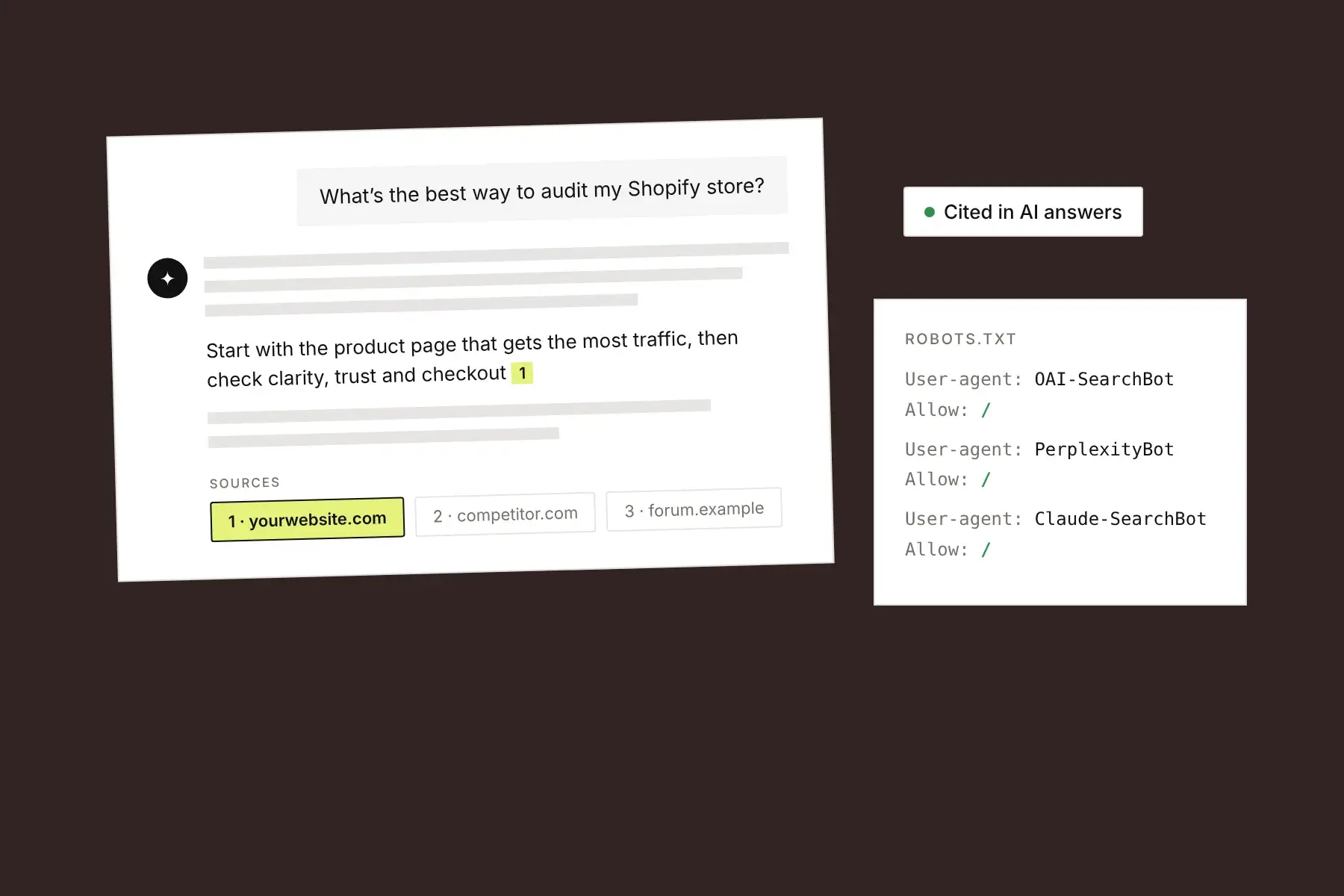
AI crawlers can only cite pages they’re allowed to fetch and able to read. Check that your robots.txt doesn’t block the search crawlers that assistants use, that your firewall or CDN isn’t blocking them as bots, and that your important content is in the page’s HTML rather than loaded only by JavaScript after the page opens.
The crawlers worth knowing about:
- Google AI Overviews and AI Mode use Google’s normal index, so the usual Googlebot rules apply. Blocking
Google-Extendedcontrols whether your content is used for Gemini model training; it doesn’t remove you from AI Overviews. - ChatGPT uses
OAI-SearchBotfor search results andChatGPT-Userwhen a user asks it to open a page.GPTBotis the training crawler, and you can block it separately without dropping out of ChatGPT search. OpenAI documents these on its crawler overview page. - Perplexity uses
PerplexityBotfor its index. - Claude uses
Claude-SearchBotfor search,Claude-Userfor user-requested fetches, andClaudeBotfor training. - Bing matters more than its search share suggests, because several assistants draw on Bing’s index. Make sure your site is verified in Bing Webmaster Tools and your sitemap is submitted.
The JavaScript point catches many modern sites. Most AI crawlers don’t run JavaScript the way a browser does, so a page that shows a blank shell until scripts load can look empty to them. This is common on single-page apps and sites built with AI app builders. A quick test: view the page source (not the inspector) and search for your headline and key paragraphs. If they aren’t there, many AI crawlers can’t see them either. Server-side rendering or static generation fixes it.
How should I structure a page so AI assistants can quote it?
Structure pages so each section answers one question, with the question in the heading and a direct answer in the first sentence or two below it. Keep that answer short enough to quote on its own, around 40 to 60 words, then add detail, steps, and examples underneath. Assistants pull passages, not whole pages, so every section should make sense out of context.
In practice:
- Write headings as the questions people actually ask. “How much does a kitchen remodel cost in Denver?” beats “Pricing.” Look at Google’s “People also ask” box, your sales calls, and your support tickets for the exact phrasing.
- Answer first, explain second. Don’t open a section with background or a story. Put the answer in the first paragraph, then support it.
- Use one clear H1 and headings in order. H2 for main questions, H3 for sub-points. Don’t skip levels or use headings just to make text bigger.
- Use lists for steps, options, and criteria. Numbered steps and short bullet lists are easy to extract and easy to cite.
- Define terms plainly. A sentence like “A UX audit is a structured review of how easily visitors can use a website” is exactly what an assistant looks for when someone asks “what is a UX audit.” (Here’s ours.)
- Name things explicitly. Write “Honello’s free scan” rather than “our tool” or “it.” A passage lifted out of the page should still say who and what it’s about.
What makes a page trustworthy enough for AI to cite?
Pages get cited when their claims are specific, checkable, and clearly attributed. Concrete numbers, named sources, first-hand experience, an identifiable author or business, and visible publish and update dates all make a page safer for an assistant to repeat. Generic marketing claims (“the best solution on the market”) give it nothing to quote.
Ways to make your pages more citable:
- Replace adjectives with specifics. “Ships in 2 business days from Ohio” instead of “fast shipping.” “Starts at $49 a month” instead of “affordable.”
- Show where facts come from. Link to the study, the documentation, or the data you used.
- Add what only you know. Original data, real customer results, photos of your actual work, and clear opinions from experience are what make your page different from the ten others saying the same thing.
- Make the business behind the page obvious. A real About page, contact details, and author names help assistants (and people) decide you’re legitimate.
- Keep facts consistent across the web. Your prices, locations, and product names should match on your site, your Google Business Profile, directories, and review sites. Conflicting facts make an assistant less confident.
- Keep pages current. Show the date a page was updated, and actually update pages with prices, dates, or version numbers in them.
Does structured data help with AI search?
Structured data helps AI search by stating facts about a page in a format machines don’t have to guess at: what the business is, what a product costs, who wrote an article, and when it was published. It isn’t a shortcut to citations, but it removes ambiguity, and it’s still the foundation for Google’s rich results, which feed the same index AI Overviews use.
The schema types worth having on most sites are Organization (or LocalBusiness) on the homepage, Product with offers and reviews on product pages, Article or BlogPosting with author and dates on guides, and BreadcrumbList for site structure. Only mark up what’s visible on the page; markup that doesn’t match the content is a spam signal, not a boost.
Do I need an llms.txt file?
You don’t need an llms.txt file to be cited by AI assistants. llms.txt is a proposed standard for giving language models a Markdown summary of a site, but none of the major assistants have confirmed they use it to choose sources. It’s cheap to add and harmless, so treat it as optional, and fix crawler access and page structure first.
How do I check whether ChatGPT mentions my website?
Check whether ChatGPT mentions your website by asking it the questions your customers ask, with web search on, and noting which sources it cites. Then look for referral traffic from chatgpt.com, perplexity.ai, and similar domains in your analytics. Neither method is complete, but together they show whether you’re in the answers and which pages assistants are using.
- Write down 10 to 20 real customer questions. Use the wording people actually use, including location and budget: “best accounting software for a three-person agency,” not “accounting software.”
- Ask them in ChatGPT, Perplexity, Claude, and Google. Note who gets named and which pages get cited. Repeat monthly; answers vary from run to run, so look for patterns rather than single results.
- Check your analytics referrers. Links clicked inside ChatGPT often arrive with
utm_source=chatgpt.comattached, which makes them easy to filter. - Check your server logs or CDN. Seeing
OAI-SearchBot,PerplexityBot, orClaude-SearchBotrequests confirms the crawlers can reach you. - Study the pages that do get cited. If a competitor is named every time, read their page. It usually answers the question more directly or more specifically than yours.
How long does it take to show up in AI answers?
Changes can show up in AI answers that use live search within days to a few weeks, once the updated page has been recrawled and reindexed. Showing up in what a model knows without searching takes much longer, because that depends on future training runs. Focus on live retrieval, where improvements to a page can pay off quickly.
A quick AI search checklist
- robots.txt allows Googlebot, Bingbot, OAI-SearchBot, PerplexityBot, and Claude-SearchBot.
- Your firewall or bot protection isn’t blocking those crawlers.
- Key content appears in the page source, not only after JavaScript runs.
- The site is verified in Google Search Console and Bing Webmaster Tools, with a sitemap submitted to both.
- Each important page has one H1, a unique title tag, and a meta description.
- Headings are written as real questions, each followed by a direct answer.
- Claims are specific and sourced; vague marketing lines are rewritten.
- The business, author, and update date are visible on the page.
- Organization, Product, and Article structured data match what’s on the page.
- You test your top customer questions in AI assistants every month.
How can I see what AI assistants see on my page?
The quickest way to see how AI assistants read a page is to run it through a tool that reviews it the same way: what it says, whether answers are easy to find and quote, and what structured details are missing. Honello’s AI search visibility audit does this alongside the usual SEO and UX checks, and points to each vague line and missing detail with the fix.
Start with the page you’d most want an assistant to recommend, usually a product page, a comparison page, or your best guide. Your first scan is free.